It’s not easy vacationing for twenty-six days.
Yes, that may be the bougiest sentence you read today, but that doesn’t make it any less true.
My wife, daughter and I recently returned from the vacation of a lifetime. We cruised across the Atlantic aboard the Disney Magic, stopping in The Azores, Portland and Dover, England, Amersterdam and, finally, Copenhagen. We then flew to Paris, took a train to Reims, and then another train to London. After nearly four weeks away from home, we flew back to Tampa.
Like I said, it was the vacation of a lifetime. The logistics involved were staggering. My wife had an accordion folder stuffed to the brim with boarding passes, itineraries, and tickets.
Because the first part of our vacation was a 16 day Disney cruise, we started off with a small army’s worth of bags and suitcases. After all, you can’t sail with Mickey if you’re not willing to dress up like your favorite Disney character or princess! Plus, you need extra room just for all the fun souvenirs you will bring home. Here’s what our luggage situation looked like on our last night of sailing.
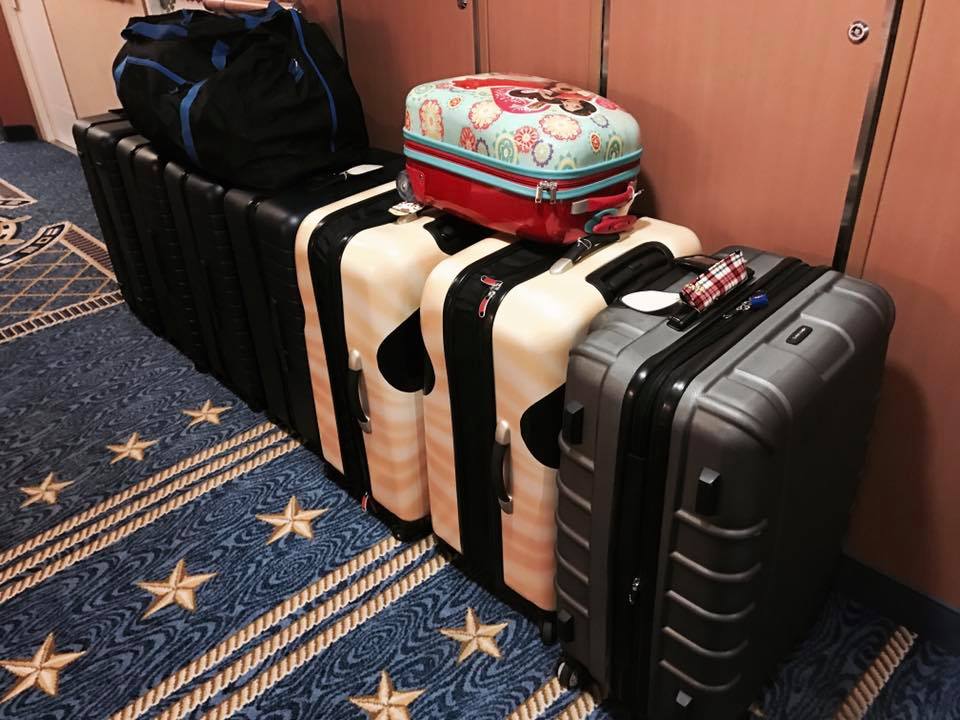
Mind you, we did not haul of this luggage through Europe. We’re not the Griswolds! Instead, we sent half of our luggage home with Michelle’s dad, Papa Ben, who flew from Copenhagen to Tampa after disembarking.
The luggage we relied on while moving through Europe is the first of five (mostly tech-related) recommendations I want to share because they made our trip more enjoyable and fun.
Away Luggage qualifies as a tech-related rec because its a line of battery-equipped smart suitcases – offering a high-quality bag at an affordable price — starting at about $225. In addition to a relatively light carry-on bag (7.2 lbs), which can handle all the essentials, from clothing to personal items, the Away Carry-On has a built-in battery with two exterior USB ports to keep electronic items powered up during layovers. You can charge the Away with a standard micro-USB cord and charging block (included). A full charge can refuel an iPhone about five times. As for charging cycles, after testing the battery with hundreds of recharges, Away says there has been “no impact” on charging.
We also liked the Away line of bags because they’re unbreakable shell makes them strong enough to withstand a heavy travel load, but they’re also being flexible enough that they can be “jammed” them into tight spaces, like a EuroStar compartment.
One thing I like to do when I travel for an extended period of time is dedicate one carry-on bag to the fun tech toys I want to experiment with while away from work. This past vacation afforded more than enough time to geek out. These are the four must-haves I enjoyed the most.
Because I had extra space in my luggage, I brought along the EvaPolar Personal Air Cooler.
This was a life-changer.
Cruise ships sailing through tropical locations and European hotels with their aversion to air conditioning can be uncomfortable to those of us whose idea of “room temperature” is somewhere below seventy degrees.
The EvaPolar uses natural evaporative cooling to create a “perfect micro-climate” while working or traveling. The device, which cools about 30-45 square feet of space, humidifies and filters air, reducing temperatures from 10-30 degrees. With a single water supply – in the supplied water tank and using Evabreeze material – EvaPolar cools up to 1200 BTU/hr for 4-6 hours with a USB power bank.
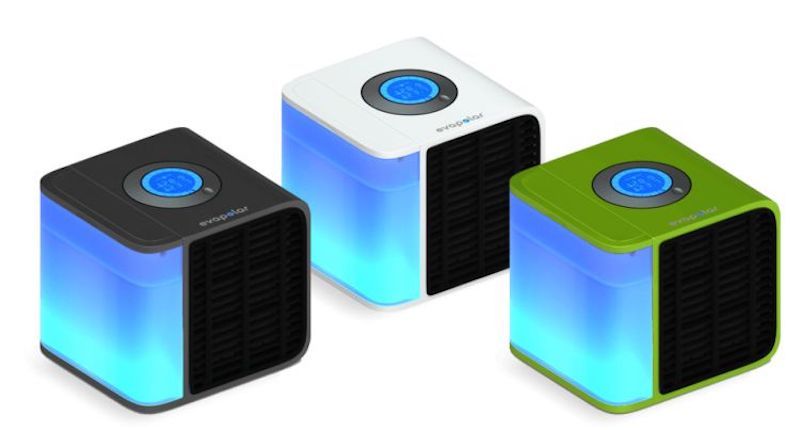
Each night before we went to bed, I would fill up the water tank in my Evapolar. This created the perfect cool-side-of-the-pillow temperature in our bedroom.
Since I still have to work while on vacation, I want to create an environment that is as close to the one I use in my office as possible. This means using multiple screens while writing and publishing.
Of course, it’s cumbersome to bring an extra monitor (or two) when traveling. And I’ve had bad luck with portable monitors. That why I use the Duet Display.
A true productivity booster, Duet Display is an app that turns a tethered iPad or iPhone into a second display for either a Mac or Windows PC, including split-screen multitasking support. Duet’s main selling point is speed and accessibility, with a virtually lag-free experience. Available at the Apple App store, version 1.2 also allows an iPad or iPhone as a dedicated second monitor. Two-thirds of the display can be used for Mac apps with an iPad Air 2 or iPad Pro, using the other third for your split-screen iOS apps.
Trust me, this is one of the best $9.99 you will ever spend.
Another issue related to trying to work while on vacation is solving the problem of getting online, especially when you are in remote locations. Traveling abroad can make staying connected challenging, with excessive roaming charges for using online data overseas. Skyroam is an affordable mobile hotspot for fast, safe and secure Wi-Fi while visiting 100+ countries in Europe, Africa, South Pacific, Middle East, Asia or the Americas.
Skyroam’s exclusive virtual SIM automatically connects up to five devices at a time to local carrier data while moving between countries. Users simply pay a single flat daily rate ($8 with purchase) to access unlimited online access – only paying for the days used, with no roaming charges.
We used Skyroam extensively when we were traveling in Amsterdam, Copenhagen, and France, where there is plenty of WiFi, but not all of it is free or safe.
Skyroam is available for purchase ($79.99, with $8 daily user fee) or short-term rental ($9.95 per day).
The last item I want to recommend is a totally gratuitous purchase. After all, you probably don’t need to print photos of your vacation, while you are on vacation. And sharing photos is why Facebook and Instagram were created.
But something I like to do, especially when you will be in a stateroom or a hotel room for an extended period is try to make it feel like home. And few things can make a space more personal than personalized photography.
That’s where the HP Sprocket Photo Printer comes in. The sprocket — a social on-the-go portable photo printer — allows users to share the best images quickly and easily. Small and compact, at about 6 ounces, Sprocket fits into a bag or purse, offering minimal controls for simplicity (USB charging port, power button, and battery indication light).
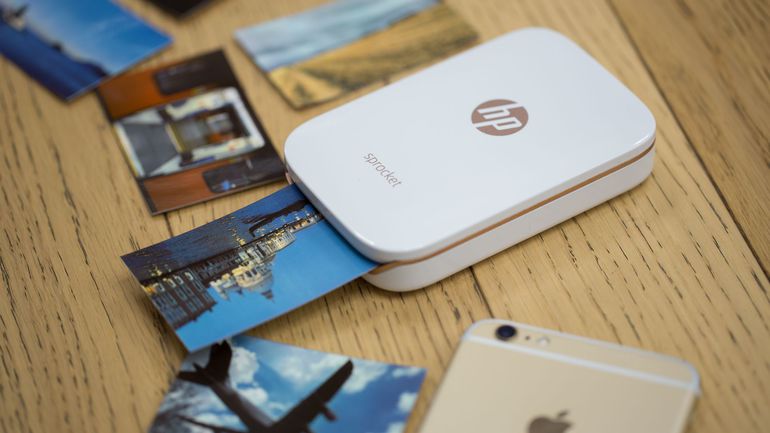
Set up is a snap; charge the Sprocket, connect it to your phone (Bluetooth and NFC are supported) and download the free Sprocket app (iOS and Android). Then, just print your photos from your camera’s gallery, or connect it to Facebook or Instagram.
What I would do is print one great photo from each day’s adventures and put them up in our room. It was a great way to remember what an amazing trip we were on. I’m sure there are all sorts of commercial- and business-related functions for a pocket printer, too.
The app allows editing and filters, and produces good, wallet-sized photos printed through HP’s Zink “Zero Ink” technology.
Starts at $118, HP Zink Photo Paper starts at $9.99 per pack of 20 sheets.
Believe it or not, we’re still unpacking from our vacation. If I come upon any other recommendations, I’ll be sure to let you know.